01
The email lands in the shared mailbox
sales@, contact@, accounting@: the whole team sees the same mailboxes, each with their own rights. Unread counts, tags and assignments are the same for everyone.
inbox.fil-et-maille.exemple.fr
Open source module for Dolibarr
Inbox brings the mailboxes of the whole team into Dolibarr. Every email is linked to the right customer, handed to the right person and protected against impersonation attempts.
GPL v3 licence · Dolibarr 23 and later · Your data stays with you
The journey of an email
Follow a quote request at Fil & Maille, an imaginary textile workshop. Five steps, one tool.
Features
Designed for small and mid-sized companies that live in Dolibarr: sales, customer service, accounting, purchasing.
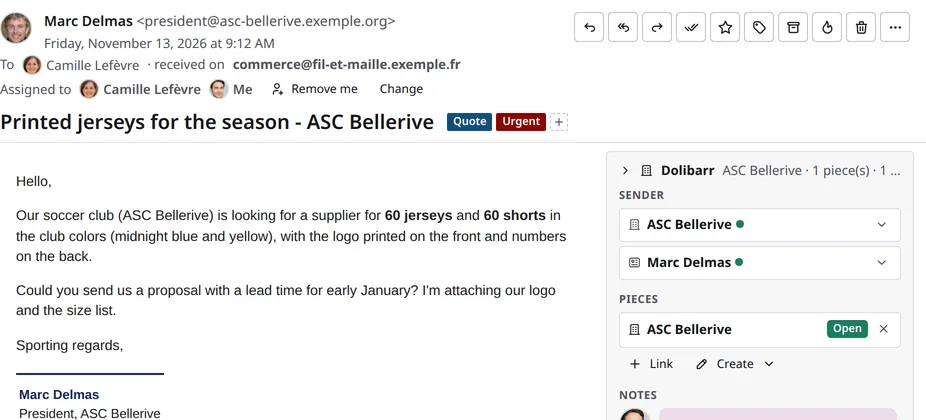
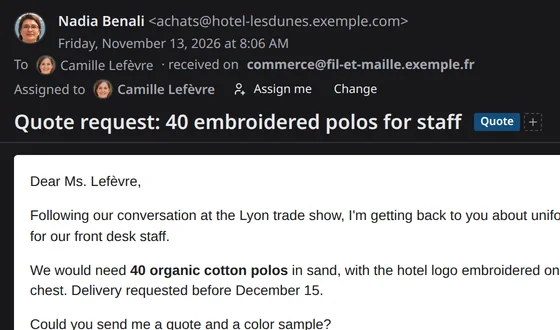
Sender recognised, contact and open documents next to the email. A customer or a quote created in one click.
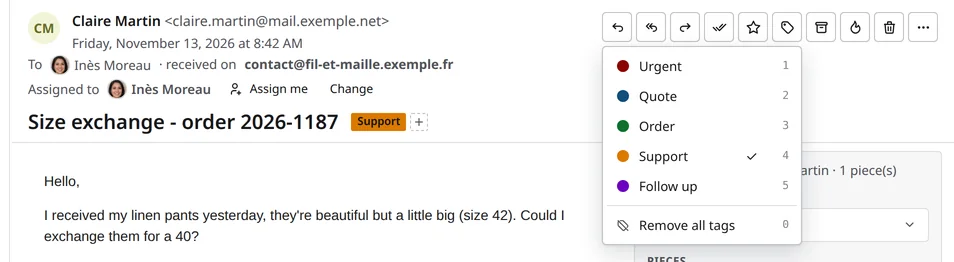
Tags in your colours, keyboard shortcuts included, compatible with the mail clients on the market.
Four access levels per mailbox: read, send, handle, manage. Everyone only sees what concerns them.
Hand an email to a colleague, leave an internal note: the shared mailbox becomes a work queue.
Rich editor, signatures per identity, Dolibarr templates, delayed sending and optional voice typing.
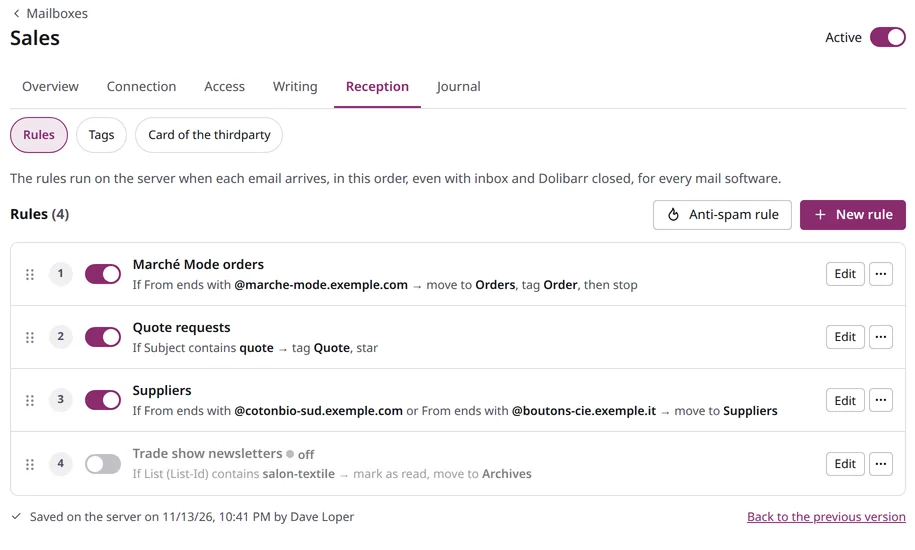
Sorting applies as soon as the email arrives, even with Dolibarr closed, for every mail client. Out of office reply included.
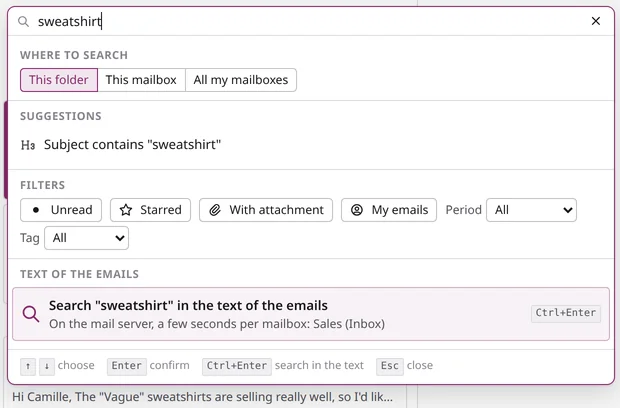
Filters by tag, attachment, period; search in the text of the emails, and an optional fast search engine.
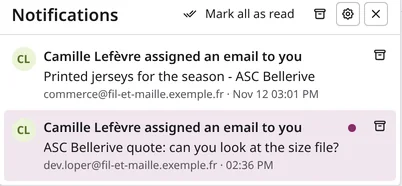
An email assigned, a sending that fails, a mailbox in error: the bell warns you without flooding you.
Installable application, designed for the phone as well as the big screen, light or dark theme.
Security
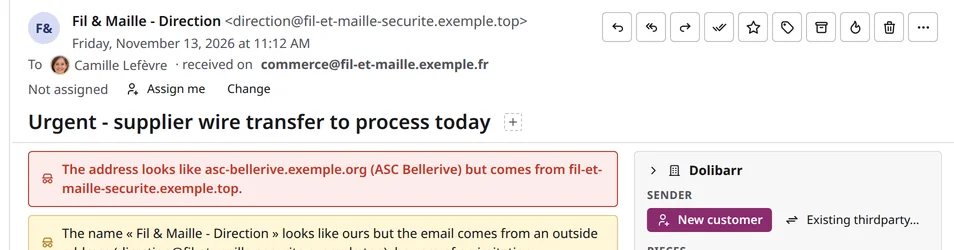
CEO fraud and fake suppliers target the mailbox first. Inbox unmasks them before they cost you, without raising alarms on every email.
A domain imitating yours or a partner’s, a misleading display name: the warning shows above the email.
Declare your suppliers, your bank, your carriers: their authenticated emails are recognised, their imitations are flagged.
An email announcing a change of IBAN reminds you to check by phone, on the number known in Dolibarr.
Remote images only load when you ask: the sender does not know when you read.
A list of blocked senders shared by all mailboxes, and an optional anti-spam engine installed next to Dolibarr.
For sensitive mailboxes, the password stays in the user’s browser: nobody else can open them.
Settings
Every setting is in the application, with plain-language help. The defaults suit most teams.
Mobile
Inbox installs like an app on the phone, without going through a store. Same mailboxes, same rights, same tags as at the office.
Open source
Inbox is released under the GPL v3 licence. You install it on your Dolibarr, your emails stay on your servers.
Use it, adapt it, share it. No subscription, no limit on mailboxes or users.
No outside service by default. The features that use one stay off until you turn them on.
IMAP, SMTP and Sieve: Inbox works with your current mail server, and your other mail clients keep working.
The code is on GitHub. Other modules can plug into it through documented extension points.
The THERSANE modules newsletter announces the fixes and new features of Inbox and of our other Dolibarr modules.
Installation
Inbox installs like any external Dolibarr module.
The zip file of the latest version is on GitHub.
Setup > Modules > Deploy an external module, then enable Inbox.
Address, server and password: Inbox tests the connection and finds the special folders.
Choose who reads, sends, handles or manages each mailbox. The team can start.
Requirements Dolibarr 23 or later (on Dolibarr 23, with the backportdolcontext module), PHP 7.4 or later, an IMAP mail server.
Free software, provided as is. Inbox acts directly on your mailboxes (sorting, moves, rules): try it first on a test mailbox and back up your emails before connecting production. Like any module, it relies on the security of your Dolibarr: accounts, rights and updates matter as much as the module itself. Prefer a well-marked path? We install it for you, the way you choose. Legal notice
Services
The publisher of Inbox installs, configures and extends the module, and can add the servers that make it even more comfortable.
Deployment, mailboxes, access, rules and recognised domains set up, your folders taken over.
A search server installed next to Dolibarr: instant results across years of emails.
A document server to open and edit Word, Excel or PDF attachments without downloading them.
An anti-spam that learns from your choices and voice typing, both hosted on your side, with no outside service.
A team that answers, updates followed up, and custom developments for your needs.

The team behind Inbox
Inbox was born from a real need: handling the mail of a whole company inside Dolibarr. We use it every day at THERSANE before offering it to everyone. TechSane also supports companies with Dolibarr, PrestaShop and their IT tools.
Frequently asked questions
Yes. The module is released under the GPL v3 licence, with no limit on mailboxes or users. Only installation, support and the additional servers are offered as services, if you want them.
No. Inbox connects to your existing mailboxes over IMAP and SMTP. Your emails stay on your server, and your other mail clients keep working alongside.
No. Inbox runs inside your Dolibarr. The features that would call an outside service (sender pictures, artificial intelligence, reputation lists) are off by default and described before you turn them on.
Dolibarr 23 or later. On Dolibarr 23, the free backportdolcontext module brings what is missing; from Dolibarr 24, nothing else is needed.
Yes. The application adapts to the phone and can be installed on the home screen, without going through an app store.
The interface is available in French, English, German, Italian and Spanish.
Inbox is developed by TechSane, the IT department of THERSANE, which publishes several Dolibarr modules and supports the companies that use them.

Free, open source, ready in a few minutes.